
Produit numérique
Détails du produit
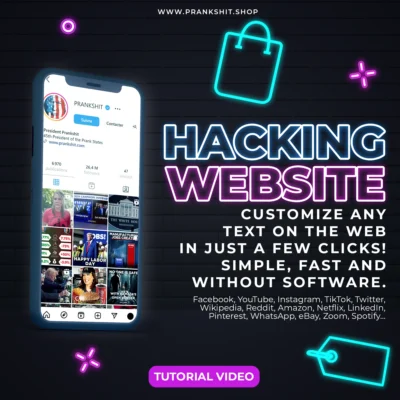
Have you always dreamed of personalizing the text you see on any website?
Whether it's on social networks, major newspapers, or even video platforms like YouTube, our revolutionary tutorial will reveal an incredibly simple and little-known technique for modifying the textual content of a website.
Imagine being able to:
- Edit descriptions, comments and other texts on Instagram, TikTok, Facebook, X, Reddit, YouTube, LinkedIn and more.
- Change YouTube video titles and descriptions, as well as usernames, comments and even the publication date.
- Alter the headlines and texts of a major online newspaper, such as The Wall Street Journal, to suit your needs.
- Personalize any text you see on the web, in just a few clicks.
And all without touching the actual site code!
What you modify remains visible to you for the duration of your session, and you can take advantage of this to capture screenshots or make scrolling videos that show all your changes as if they were authentic.
The result is astonishing: even when browsing the page, your changes appear to be fully integrated.
Why is this tutorial for you?
- No technical skills required: a 12-year-old can master this technique in no time.
- No software required: all you need is a PC and a browser like Chrome or Firefox. No extensions or software to install.
- A free tool at your fingertips: no need to buy anything else, just this tutorial.
- Immediate effect: make your modifications live, and use the opportunity to surprise your friends or give demonstrations.
What you will learn to modify a website:
- How to temporarily modify any text element on a web page.
- How to save your changes as a screenshot or scrolling video, with perfect fluidity.
- Practical examples on social networks, online newspapers, video platforms and more.
- Advanced tips to personalize your web experience to the extreme.
To go further: in another tutorial, I teach you how to temporarily replace images and videos on websites.
When you refresh the page, everything will return to normal. But in the meantime, you'll have created unique, personalized content, as if you'd actually modified the page.
This tutorial is presented in video, so you can easily follow each step by reproducing exactly what you see on the screen. No need to guess or read complex instructions: just watch the video and apply the same method on your own computer.
Thanks to this visual format, even less experienced users will be able to master this technique in no time.
This method is not widely known, but it's frighteningly effective. Get started today and discover the power of personalizing the web to your image!
Whether it's on social networks, major newspapers, or even video platforms like YouTube, our revolutionary tutorial will reveal an incredibly simple and little-known technique for modifying the textual content of a website.
Imagine being able to:
- Edit descriptions, comments and other texts on Instagram, TikTok, Facebook, X, Reddit, YouTube, LinkedIn and more.
- Change YouTube video titles and descriptions, as well as usernames, comments and even the publication date.
- Alter the headlines and texts of a major online newspaper, such as The Wall Street Journal, to suit your needs.
- Personalize any text you see on the web, in just a few clicks.
And all without touching the actual site code!
What you modify remains visible to you for the duration of your session, and you can take advantage of this to capture screenshots or make scrolling videos that show all your changes as if they were authentic.
The result is astonishing: even when browsing the page, your changes appear to be fully integrated.
Why is this tutorial for you?
- No technical skills required: a 12-year-old can master this technique in no time.
- No software required: all you need is a PC and a browser like Chrome or Firefox. No extensions or software to install.
- A free tool at your fingertips: no need to buy anything else, just this tutorial.
- Immediate effect: make your modifications live, and use the opportunity to surprise your friends or give demonstrations.
What you will learn to modify a website:
- How to temporarily modify any text element on a web page.
- How to save your changes as a screenshot or scrolling video, with perfect fluidity.
- Practical examples on social networks, online newspapers, video platforms and more.
- Advanced tips to personalize your web experience to the extreme.
To go further: in another tutorial, I teach you how to temporarily replace images and videos on websites.
When you refresh the page, everything will return to normal. But in the meantime, you'll have created unique, personalized content, as if you'd actually modified the page.
This tutorial is presented in video, so you can easily follow each step by reproducing exactly what you see on the screen. No need to guess or read complex instructions: just watch the video and apply the same method on your own computer.
Thanks to this visual format, even less experienced users will be able to master this technique in no time.
This method is not widely known, but it's frighteningly effective. Get started today and discover the power of personalizing the web to your image!
Acheteurs vérifiés
Avis clients
Seuls les clients disposant d’un achat payé et vérifié peuvent publier un avis.
0.0
0 avis validé(s)
Vous avez acheté ce produit ?
Connectez-vous
pour laisser un avis vérifié.
Aucun avis validé pour le moment.
Débloquez davantage de vos générateurs préférés
Achetez des pass de déverrouillage PrankShit pour les générateurs compatibles et découvrez des produits numériques téléchargeables.